01
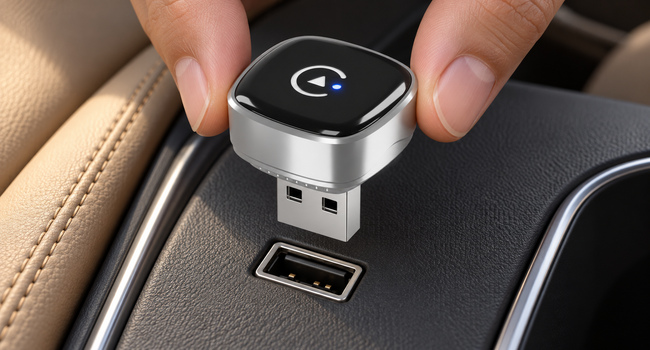
Plug directly into USB-A.
Connect the adapter to your vehicle’s USB-A data port.
 Amazon store ↗
322S · USB-A + included USB-C adapter
322S / WIRELESS ADAPTER
322S Wireless CarPlay & Android Auto Adapter
Keep the screen you know. Lose the phone-to-car cable. Bring supported maps, music and calls to your compatible car’s display.
Requires compatible factory-wired systems.
One phone at a time.
FOR THE JOURNEYS YOU SHARE
Wireless CarPlay for a compatible iPhone. Wireless Android Auto for a compatible Android phone. One phone at a time.


BEFORE YOU BUY
Check your vehicle’s wired connection first. A USB port alone does not confirm compatibility.
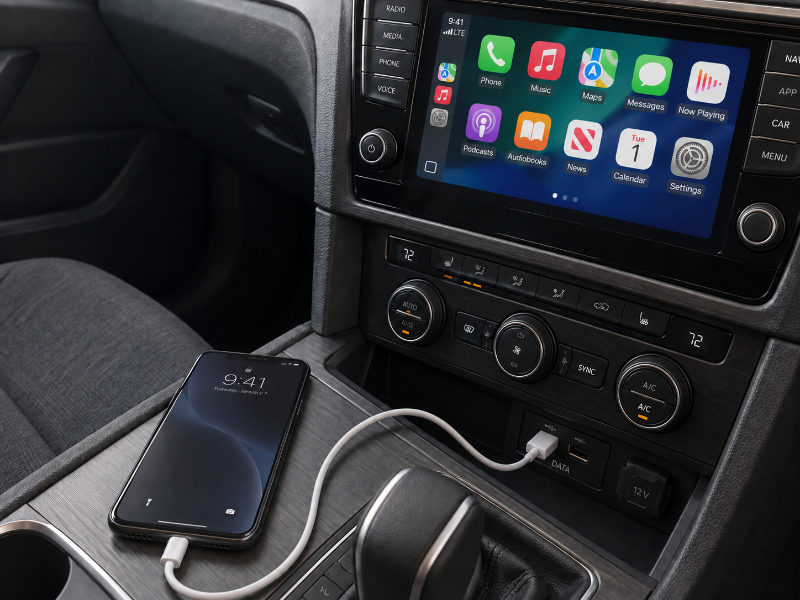
Test both wired systems with compatible phones and a USB data cable before you buy.
TWO WAYS TO CONNECT
Connect directly to USB-A, or use the included USB-C adapter for your vehicle’s data port.
Connect the adapter to your vehicle’s USB-A data port.
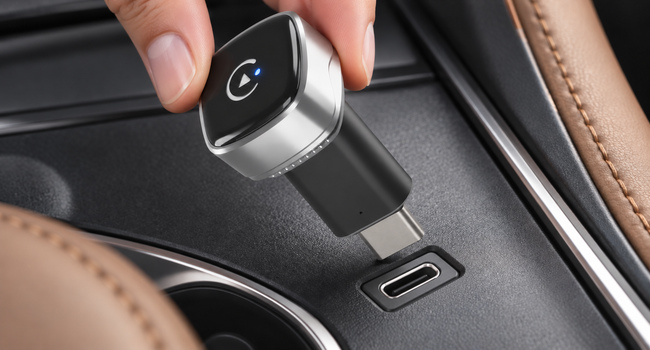
Attach the included USB-A female to USB-C male adapter, then connect to the vehicle’s USB-C data port.
A MOMENT TO SET UP
One guided first connection. All the familiar apps on your car’s screen.

Use the direct connection or the included adapter shown in the module above.

Enable both in your phone’s settings and keep them on while you use the adapter.

Choose the matching device in Bluetooth and confirm pairing. The last four characters correspond to your adapter.

On iPhone, choose Use CarPlay when prompted. On Android, follow the Android Auto setup prompts.

The local Wi-Fi connection is established automatically. Use one phone at a time.
No. Your vehicle must already support factory-wired CarPlay and factory-wired Android Auto through its data USB port. This adapter converts a compatible wired connection to wireless.
Use one phone at a time. Wireless CarPlay works with a compatible iPhone; wireless Android Auto works with a compatible Android phone.
Connect directly to the vehicle’s USB-A data port, or use the included USB-C adapter. A charging-only USB port is not enough.
Yes. Enable both during initial setup and keep them enabled while you use the adapter. The local Wi-Fi connection is established automatically.
Visit the Hyphoon Amazon store and confirm the matching model, current price and availability before ordering.
LESS CABLE. MORE JOURNEY.